Overview

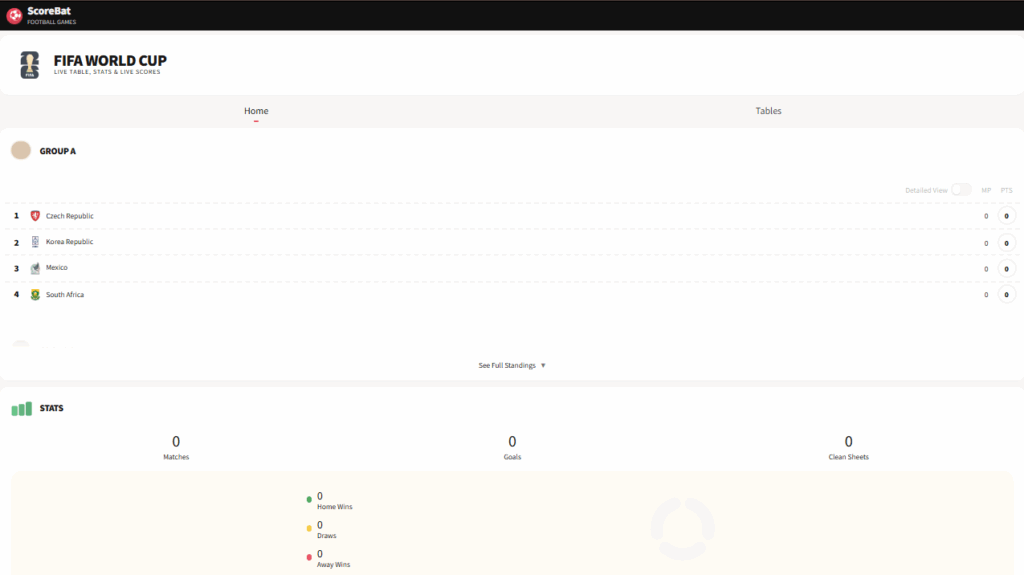
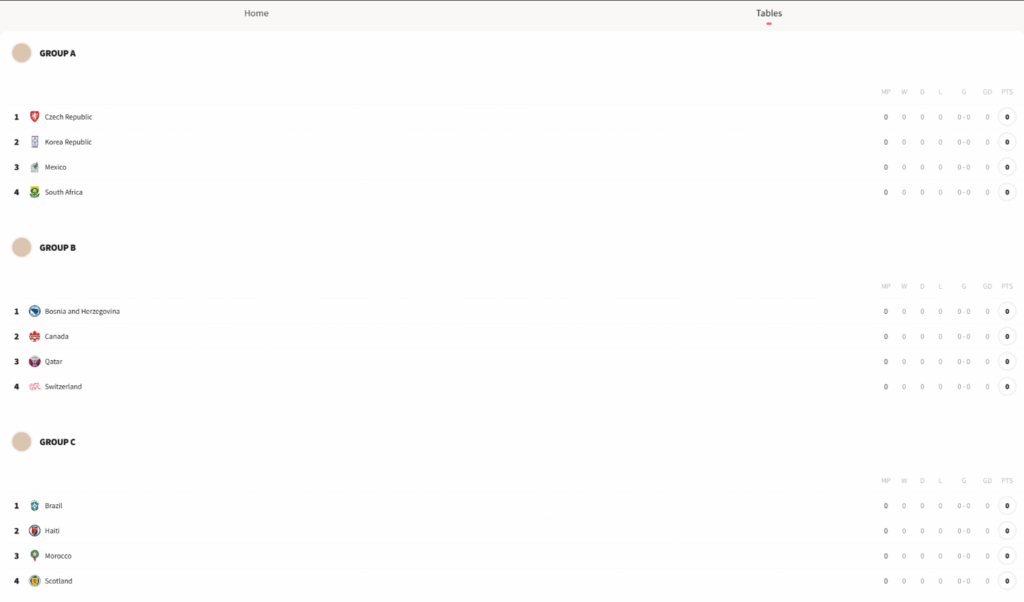
With the World Football Feed 2026 platform app that is powered by Scorebat, you can stay updated with the 2026 World Football Series Cup live scores and standings! Automatically cycles through all tabs and scrolls their content, ensuring you never miss a moment of the action.
Creating the World Football Feed 2026 app
Navigate to the Apps Gallery and search for the World Football Feed 2026 app. Once located, click on it to add it, and fill in the app details as follows:
- You need to provide a name for the app, and you can include an optional description.
- Set the Default Duration that the app will appear in a playlist.
- You can also provide a Tag for this app to better manage it.
- (Optional) Set the Availability by configuring start and end dates, or leave it as non-expiring.
- Of course, you can upload an image to the Fallback Image button to display if the app fails to load.
- Click Save, and your app is ready to use.
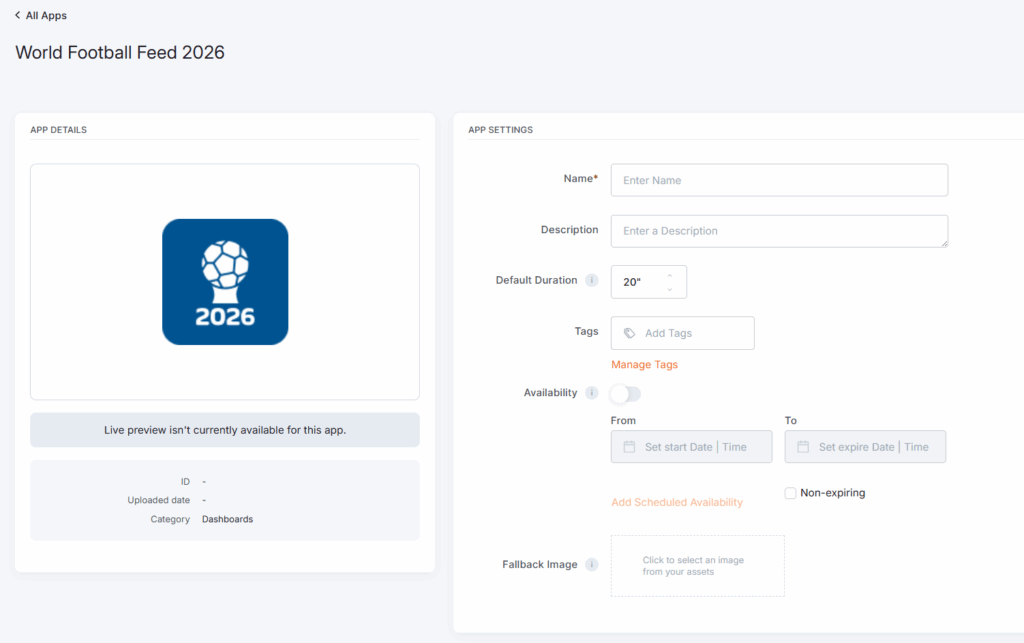
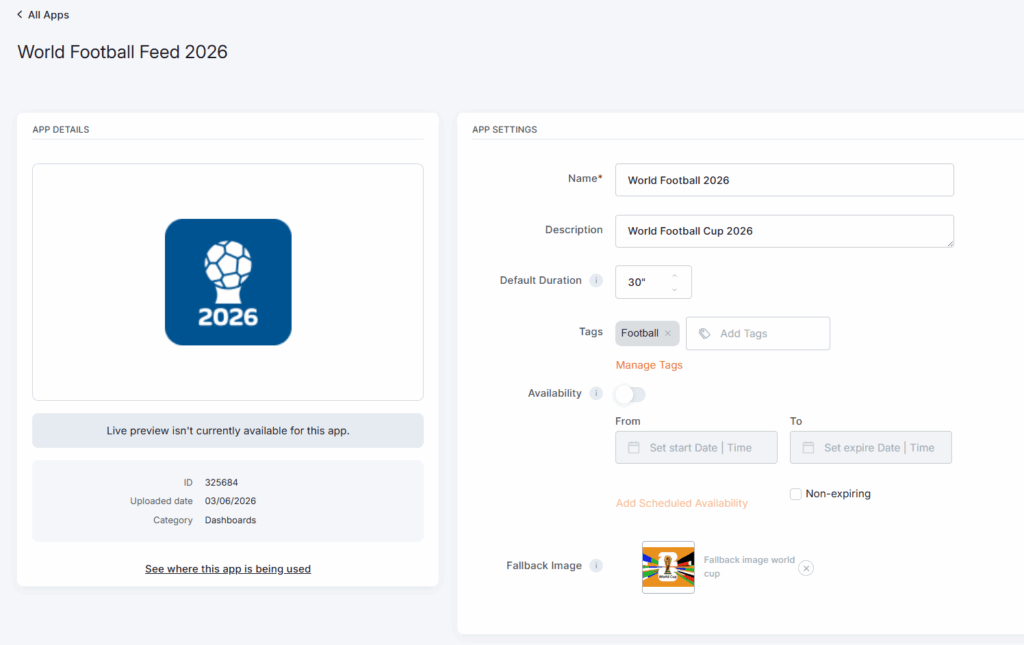
World Football Feed 2026 app example
The following two examples are the app’s preview as it appears inside a layout.
F.A.Q.s
Got questions? We’ve got answers! This section addresses common questions about the World Football Feed 2026 app.
You don’t need a separate Scorebat account to use the World Football Feed 2026 app in the platform.
Yes. Since the app displays live football information, the Player needs an active internet connection to retrieve and refresh the latest available feed data.
The app uses a predefined design optimized for digital signage. You can place it inside your Layouts and adjust how it appears within your screen design, but the internal feed design and structure are not manually customizable.
No. The World Football Feed 2026 app displays the feed from Scorebat. The available matches, teams, scores, and standings depend on the content included in that feed.
Scorebat provides the live scores and standings, so updates depend on the availability and refresh frequency of their feed. The platform displays the latest data made available through the app.
Yes. When no live matches are available, the app may still display other available feed content, such as standings or scheduled/recent match information, depending on what Scorebat provides at that time.
Yes. You can add the app to either landscape or portrait layouts. For the best result, preview the layout first to make sure the feed is readable and fits well within the selected screen orientation.
Yes. You can use the app in layouts assigned to video walls, as long as the feed remains readable at the final display size. For larger installations, we recommend testing the layout preview before publishing it to your screens.
Yes. You can combine it with other widgets, apps, media, or design elements inside a platform Layout. This is useful if you want to show live football updates next to branding, announcements, menus, or promotional content.
If the live feed fails to load, the app will not display its content. In that case, you can configure a fallback image to show instead, preventing a blank area from appearing on your screen.